In short: In Hermes 3000 you can collect several versions of a word, a sentence, a paragraph or a chapter title and switch between them right in your text: with Alt-click (Option-click ⌥ on a Mac) or a click on the small "2/3". Sentences you are not sure should stay can be ghosted: they remain at their place, dimmed, but are not counted and never reach an export. Both ideas come from Write_On, the writing tool Jason Fried built for his own writing.
Everyone who writes knows this moment: you look at a sentence and know one word isn't right yet. "Silent" or "still"? "Arrival" or "Arrival on Hiddensee"? So you type the alternative in brackets, scribble it in the margin or put it in a note – and in the end you only compare in your head.
Finding an alternative is not the problem. Reading it in its place is. A word sounds different in a list than in the middle of its sentence, between what comes before and after.
Where the idea comes from: Jason Fried's Write_On
Jason Fried, co-founder of 37signals (Basecamp, HEY) and author of books such as "Rework", wrote on X about a writing tool he says he had wanted for years: Write_On. He built it for himself, not as a product.
Write_On calls its principle "alternative control" rather than version control. It is not about keeping older states of a whole text, but about alternatives at the level of word, sentence and paragraph – plus a way to dim text instead of deleting it and to keep cuts within reach.
Two of these ideas convinced us so much that we built them into Hermes 3000: variants to click through and ghosting. For keeping cuts nearby Hermes already has a place, the notes, so we left that third part out.
The video: variants and ghosting in ninety seconds
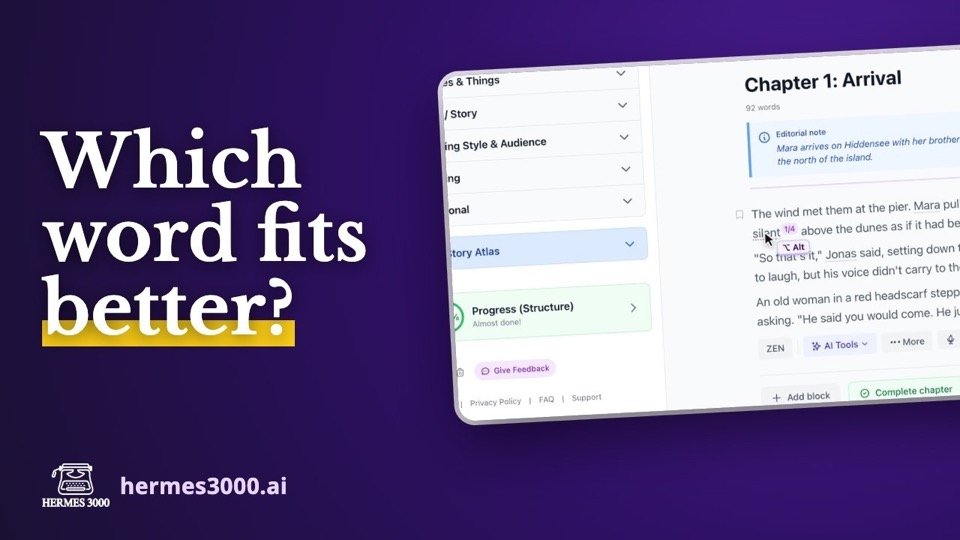
In the video, the word "silent" in the first chapter of the demo book "The Lighthouse of Hiddensee" gets an alternative of its own and three AI suggestions, and the take switches through them right in the text. The chapter title gets a second version, and a sentence is ghosted.
Creating variants
- Select the passage – a word, a sentence or a whole paragraph.
- Choose Variants in the context menu.
- Type your alternative and press Enter. You can collect as many versions as you like.
- Or click 3 AI suggestions. The AI sees the passage in its sentence, not just the single word, so its suggestions fit the context.
The passage gets a fine dotted underline and a small "2/3": second of three versions.
Switching, right in your text
This is where the real gain lies. You don't switch in a list, you switch where the text stands:
- Alt-click on the passage (Option-click ⌥ on a Mac) shows the next version, Alt+Shift-click the previous one.
- A click on the "2/3" does the same, on a tablet too.
- With the cursor inside the passage, Alt+↑ / Alt+↓ switches.
- Right-click (or a long press) opens the overview of all versions. There you can add more, remove single ones, or dissolve the set: keep the chosen version and drop the rest.
A normal click into the passage stays a click for writing. That mattered to us: writers click into their text all the time, and a word silently swapping under the cursor would be the opposite of helpful. So you fix a typo in the chosen version as usual, and the fix stays with that version.
Chapter titles too
Titles are often where you hesitate longest. Next to every chapter heading there is a switch for title variants. Add several titles, Alt-click the heading to switch, and the chosen version is the chapter name everywhere Hermes uses it – in the structure, the table of contents, the export.
Ghosting instead of deleting
Sometimes it isn't a word but a whole sentence you doubt: does it really need to be there? Deleting feels final, and so does leaving it.
Select the sentence and choose Ghost out. It stays visible at its place, but dimmed. You read the paragraph without it and still see what is missing. A click on the ghosted text offers Bring back – with its formatting and paragraphs, as it was – or Delete for good.
What ends up in your book
The same rule holds for both: your book only holds the version you chose. The other variants and ghosted text are stored separately from your text. That is why they don't count towards your page total, the AI doesn't read them as part of your book, and no export – PDF, EPUB, Word, typesetting – accidentally prints a sentence you took out.
If you change the text around a variant so much that Hermes can no longer find the passage, the versions are not lost: they appear as "Variants without a place" above the paragraph, and you decide what you still need.
Frequently asked questions
How is this different from the version history?
The version history keeps earlier states of a whole text block so you can go back. Variants are for decisions on a small scale: several equal versions of a single passage that you can switch between at any time.
How do I switch on a Mac?
With the Option key: hold ⌥ and click the passage. ⌥+⇧ goes back.
Does it work on a tablet?
Yes, through the "2/3" behind the passage: tap for the next version, long-press for the overview.
Do variants end up in the export?
No. Only the chosen version is exported, ghosted text not at all.
Give it a try: select the word in your manuscript you have been hesitating over and ask for three suggestions. Your first 50 standard pages are free at hermes3000.ai.